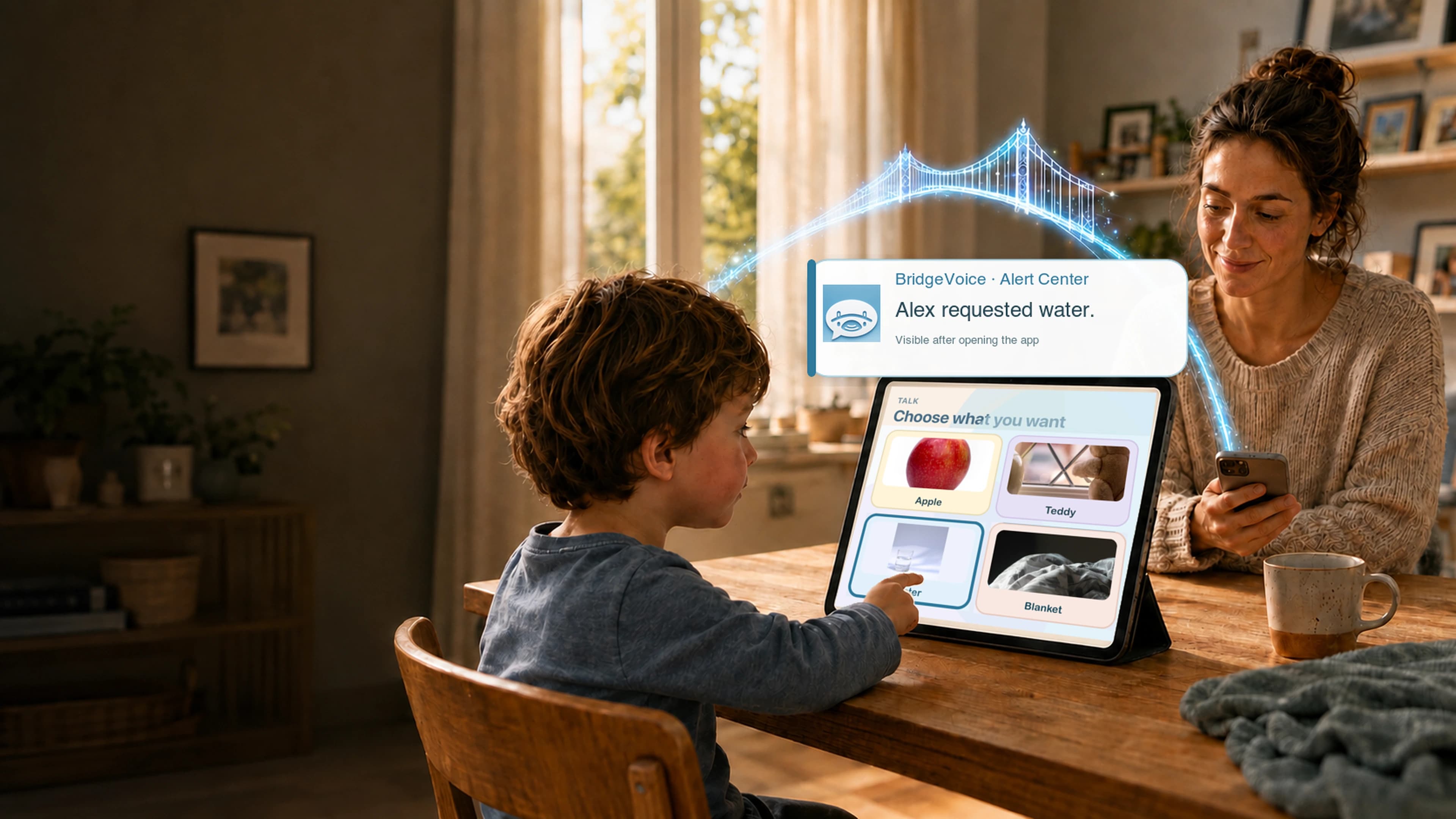
Familiar photo communication beside a calm adult alert preview

BridgeVoice

Help your child communicate.Keep family and caregivers connected.

Their communication. A connected circle of support.

Familiar photos and chosen voices for your child. Shared requests with real adult replies, and reviewed caregiver handoffs for the people supporting them — in web early access.

Web early access available now. Native mobile apps are in development.

Use BridgeVoice in the browser, with Home Screen access on supported devices.

Short introduction

A BridgeVoice story you can skip.

Optional. Sound stays off until you press play. Create account and Sign in stay available above.

Short BridgeVoice introduction, about twenty-seven seconds. Sound stays off until you play.

Short introduction (~27s) cut from the authorized product walkthrough, ending on a complete line. Captions included. Sound starts only when you press play.

  1. 0–4s

    Sometimes the words are there.

    Just hard to say — BridgeVoice starts from that reality.

  2. 5–8s

    A calmer way to communicate.

    Meet BridgeVoice without rushing the story.

  3. 9–15s

    Choose a photo. Tap what matters.

    Everyday choices become spoken words.

  4. 16–23s

    Communication can sound like home.

    Support comfort, routines, and next steps.

  5. 24–27s

    Designed for calm. Made for families.

    The short intro ends here; the longer walkthrough stays optional below.
Longer walkthrough expands when the visitor chooses it.

Interactive demo — sample data

Try BridgeVoice

No account needed. This sample never sends a real request, notification, or report.

Child board (sample)

Tap a familiar photo to hear a sample natural voice.

Adult phone (simulated)

After the child speaks, a sample request appears here. Nothing is delivered to a real family.

One BridgeVoice. Everyone connected.

Parents create the family. Everyone else opens the parent’s invitation or pairing link — on BridgeVoice Web or the app when available. Permissions stay on the server. Teacher features are a pilot preview until school-use review is complete.

Schools and districts can buy seats in bulk through Apple School Manager.

  • For your child

    Familiar photos, chosen voices, and a focused space to communicate.

    See the child experience
  • For parents

    Set up your child’s communication and choose who can help.

    Create account
  • For family

    Open the parent’s invitation link — continue on BridgeVoice Web or get the app when ready.

    Open an invitation
  • For caregivers

    Open the parent’s invitation link — continue on the web or get the app when ready. Your caregiver access comes from that invite.

    Open an invitation
  • For teachers and school staff

    Open the parent’s teacher invitation — continue on BridgeVoice Web or get the app when ready. Live student access still needs school-use review.

    Open an invitation

A day with BridgeVoice

  1. 1

    Child communication

    A familiar photo speaks a phrase the parent chose — on a focused child board.

  2. 2

    An authorized adult responds

    A parent or invited adult can acknowledge a request from the family inbox when they are signed in.

  3. 3

    A reviewed caregiver handoff

    Caregivers can draft an observation note and publish it for parents to review — drafts stay unpublished until sent on purpose.

You choose who is connected

Parents invite family members and caregivers with purpose-specific codes. Each person signs in with their own email. Child devices use a separate CD pairing code — never a child email account. Access can be revoked from the household. Invitations do not grant billing or the ability to invite others unless the parent allowed it.

Use it where your day happens

  • Use BridgeVoice in the browser, with Home Screen access on supported devices.
  • After a board loads once, a saved copy of its photos and labels can show on that device when BridgeVoice cannot reach the cloud. Spoken voice clips load over the network, so speech can be silent offline. Requests wait on the device and send when the connection returns.
  • Native iPhone and iPad apps are in development. No App Store release date is published here.
The heart of BridgeVoiceTalk
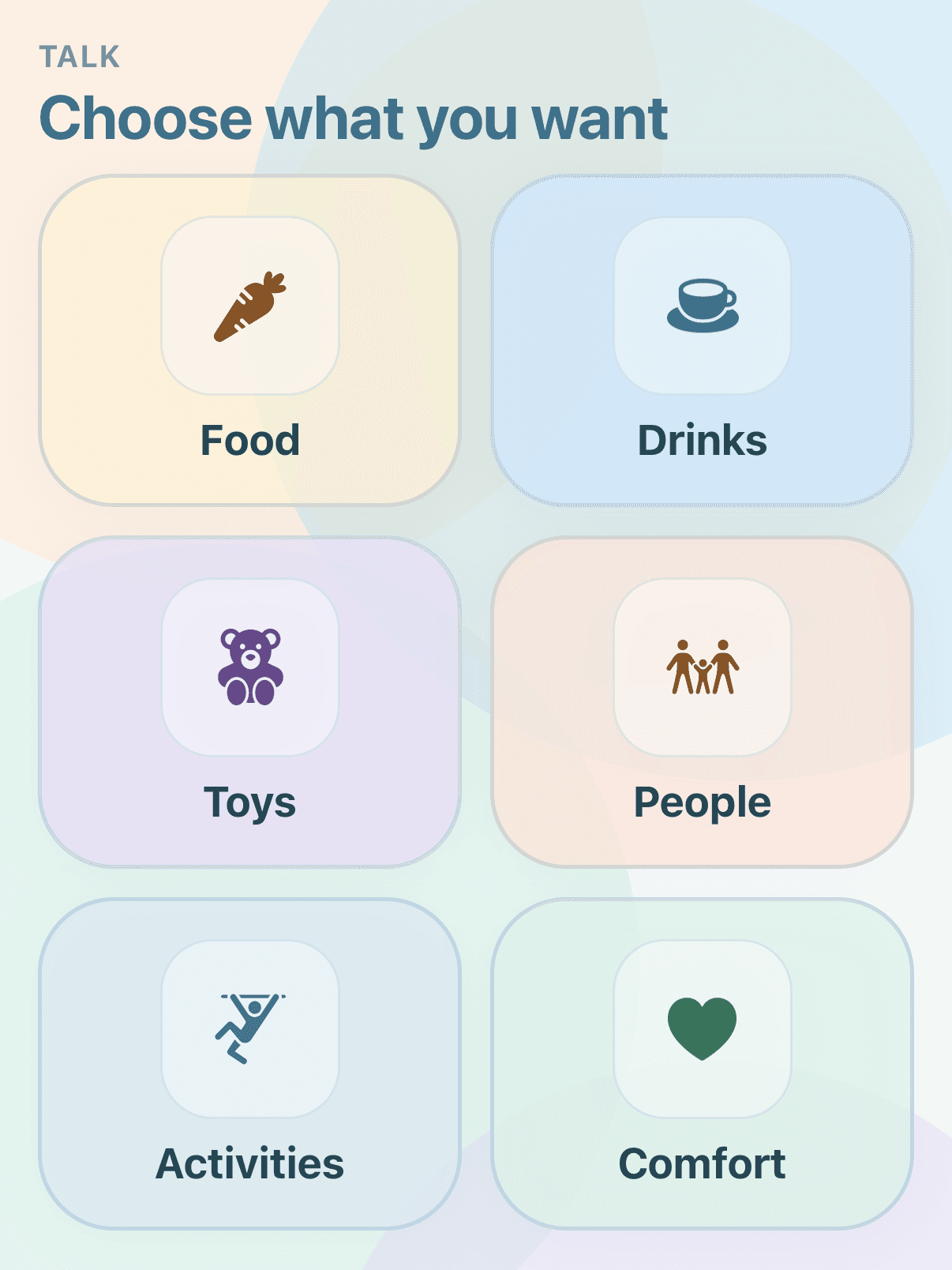
BridgeVoice Talk screen with six labeled communication categories
Start with TalkSix labeled categories keep Food, Drinks, Toys, People, Activities, and Comfort in view. Open a category, then tap the real photo that matches the communication choice.
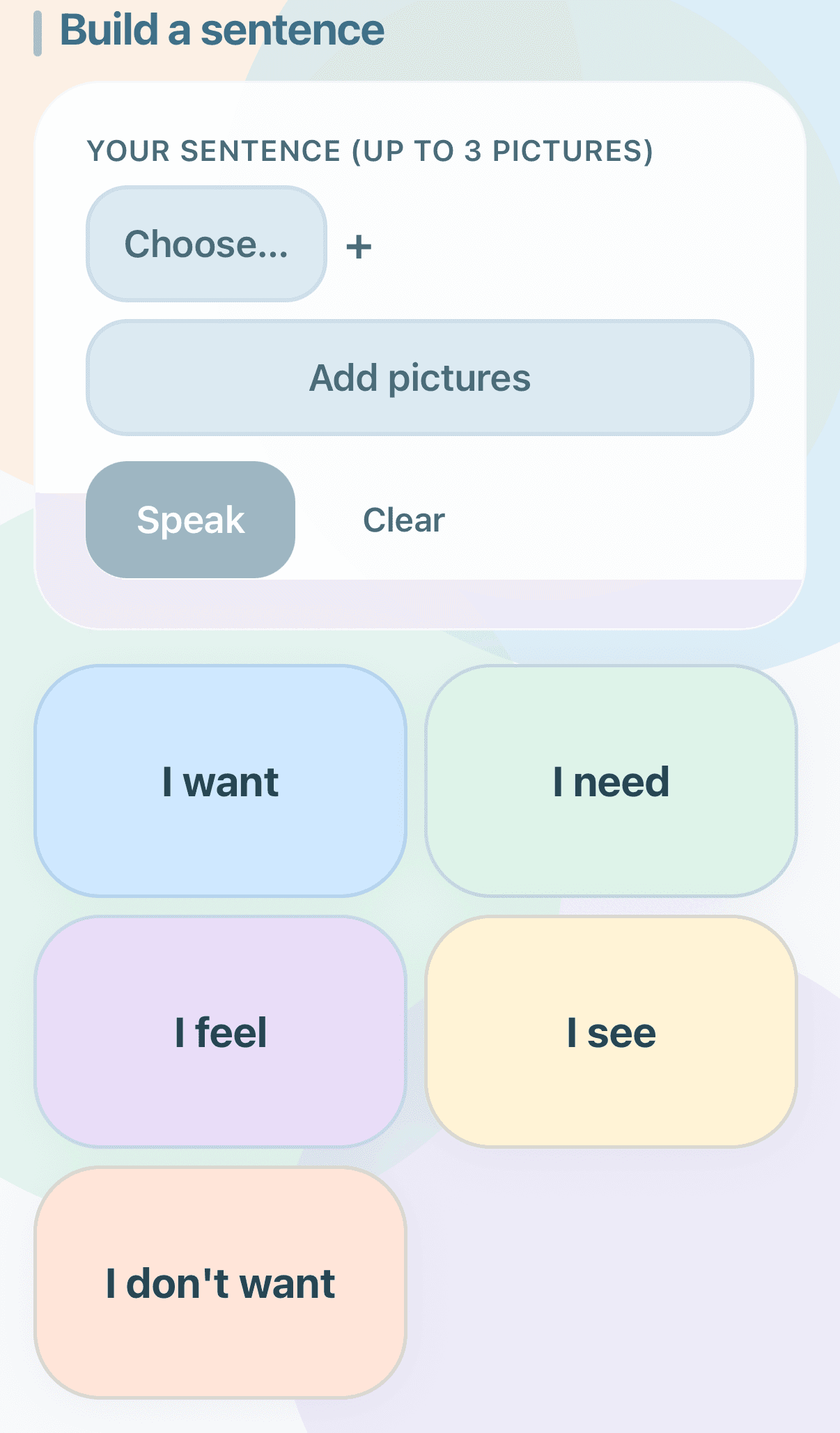
BridgeVoice sentence screen with phrase starters and an Add pictures control
SentencesCurrent screen
Phrase starters such as I want, I need, and I feel can be paired with selected pictures.
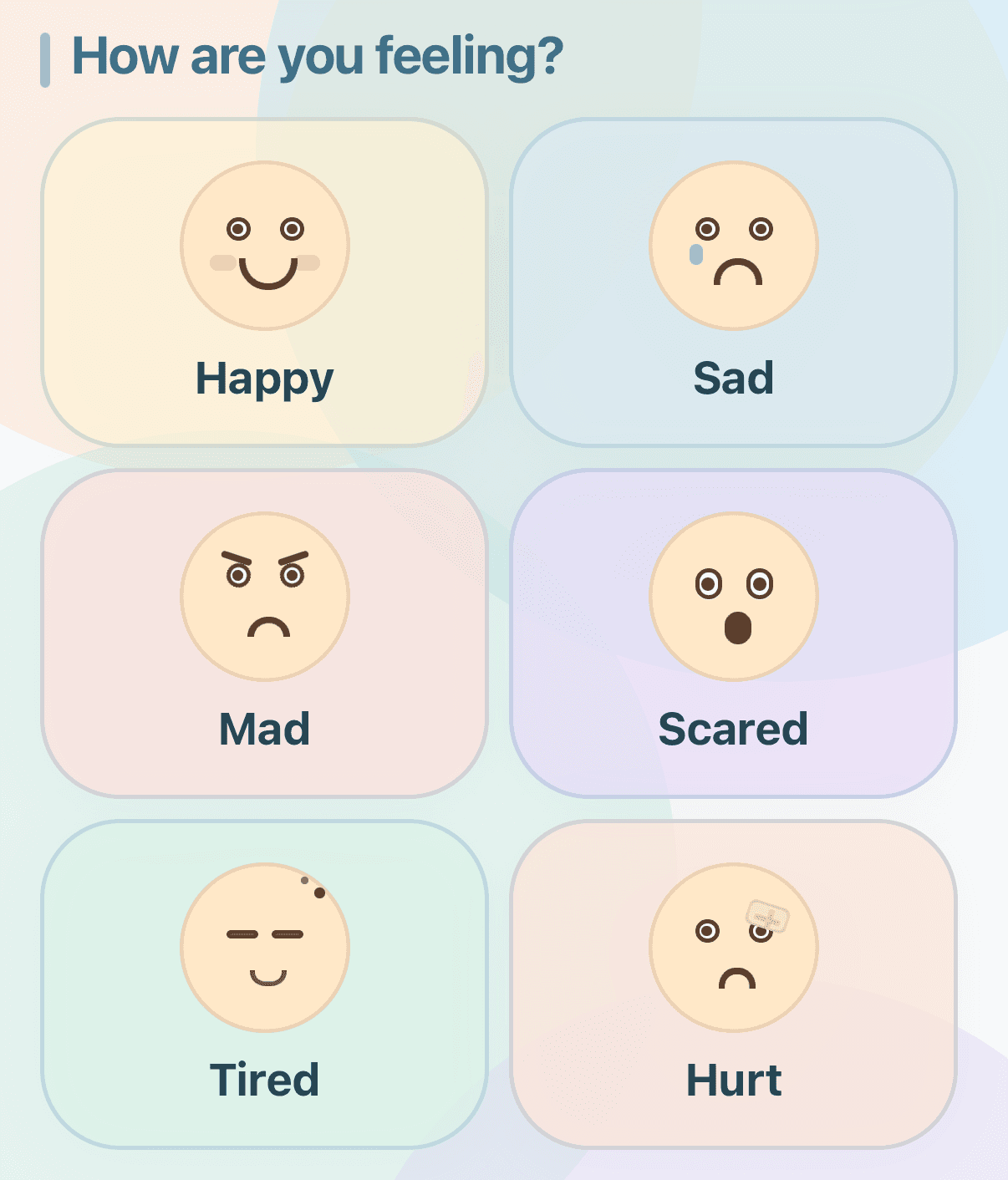
BridgeVoice Feelings screen with six labeled emotion choices
FeelingsCurrent screen
Six labeled choices cover happy, sad, mad, scared, tired, and hurt.
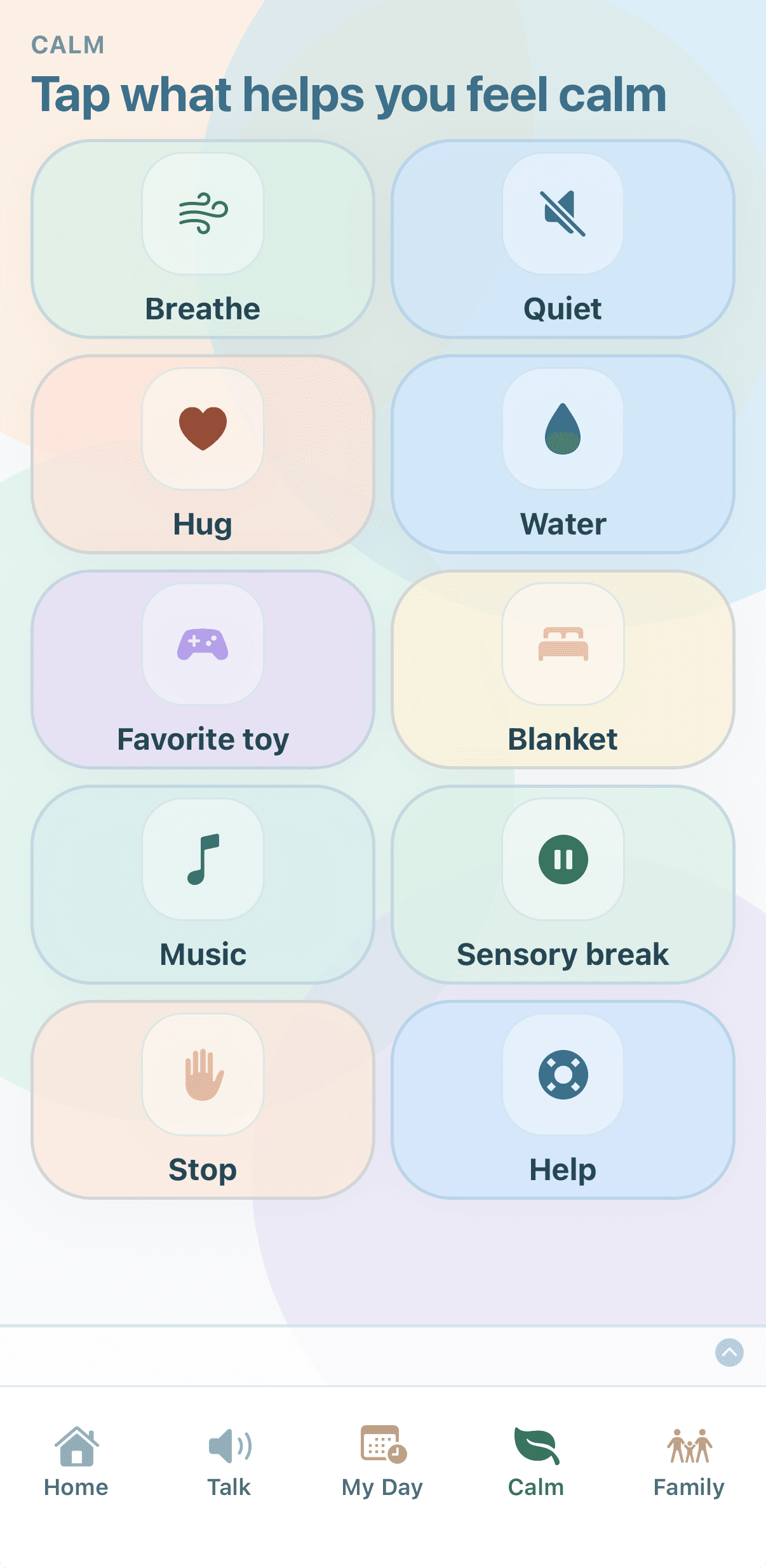
BridgeVoice Calm screen with labeled comfort and communication choices
CalmCurrent screen
A focused set of choices includes breathe, quiet, water, sensory break, stop, and help.

Why BridgeVoice exists

BridgeVoice began with a family communication need.

“I built BridgeVoice so the people, pictures, and routines a family knows best can become a clearer bridge between them — and so more families can feel understood, too.”

Founder — and a family builder

Frequently asked questions

Can I use BridgeVoice now?

Yes — web early access is available now. Create a parent account or sign in, then set up boards, invitations, and child-device pairing in the browser.

Do I need an App Store download?

No. Web early access works in a supported browser. Native iPhone and iPad apps are in development; there is no App Store release date published here.

How do I add it to the Home Screen?

Use BridgeVoice in the browser, with Home Screen access on supported devices.

How do parents, family members, caregivers, and teachers connect?

Parents create the household and invite adults with purpose-specific codes. Family members, caregivers, and teachers redeem invitations after signing in. Teacher student access also needs school-use authorization for live classroom data. The server grants only the permissions on that invitation — not parent or billing rights by default.

Is the teacher workspace a full school system?

No. Teacher / school staff is a focused home–school communication pilot preview — assigned students, morning notes, Practice Together demonstration, and reviewed school updates. It is not a gradebook, attendance, or SIS product.

Does my child need an account?

No. Child devices use a short CD pairing code from the parent. Children never create an email account for BridgeVoice.

What can family members and caregivers see?

Only what the invitation and household permissions allow — typically assigned children, requests they may acknowledge, and reports they are allowed to draft or view. They do not automatically get owner or billing access.

What works without an internet connection?

After a board loads once, a saved copy of its photos and labels can show on that device when BridgeVoice cannot reach the cloud. Spoken voice clips load over the network, so speech can be silent offline. Requests wait on the device and send when the connection returns.

How do requests and notifications work?

Child requests can be submitted when connected. Adults can review them in the inbox even if push is off. Web Push on supported devices needs Home Screen install and permission; push acceptance is not the same as a human reading the request. BridgeVoice is not an emergency service.

Can caregivers prepare reports for parents?

Yes in web early access: draft notes, then publish for parent history. Drafts are not shared until published.

What is the status of the native mobile apps?

Native iPhone and iPad apps are in development. No App Store release date is published here.

Ready to set up BridgeVoice for your family?

Optional

Want updates on the native mobile apps?

Get an email when there is launch news. This does not create a BridgeVoice family account.

For adults only. Please do not submit a child’s name, photos, diagnosis, or other sensitive information.

Already using web early access? Open BridgeVoice